Gift guide
1 year anniversary video ideas, month by month
The simplest 1 year anniversary video has one photo for every month of your first year, in order. Twelve photos at about five seconds each make a one-minute video, the right length to watch together. Below is a month-by-month plan for what to put in each slot, words for the screen and a closing line, then three ways to make it, with the time and cost of each. It works for a boyfriend or girlfriend and for a first wedding anniversary. If you want ideas for later anniversaries or for your parents, see the anniversary video ideas page linked below.
What can a film of your photos look like?
Four example films made from couple photos, with how the photos, scenes and lengths work.
The plan: 12 months, 12 photos
One photo per month, about five seconds each. The months below are a guide, not a rule: if the first trip happened in month seven, put it in month seven. No photo from a month? Use the moment that came closest. The order matters more than the calendar.
Month 1: where it started
Your first date, or the first photo you have of the two of you, even a blurry one.
How to do it: Words on screen: the date and the place, nothing else.
Month 2: your first spot
The café, bar, bench or park that became yours.
How to do it: If you never took a photo there, take one this week and use it here.
Month 3: meeting the friends
The first night out with each other's friends.
How to do it: Crop in on the two of you if it's a big group photo.
Month 4: the first trip
A weekend away, or just a day trip somewhere new.
How to do it: Words on screen: where you went, in two or three words.
Month 5: an ordinary day
Cooking, on the sofa, walking home. The everyday photos are often the ones that land.
How to do it: Look in your camera roll for the photos you took without posing.
Month 6: halfway
Meeting the family, or how you marked six months.
How to do it: Words on screen: "Six months in."
Month 7: a holiday or birthday together
The first birthday, Christmas or summer holiday you spent as a couple.
How to do it: Pick the photo where you're both in the frame.
Month 8: the inside joke
A photo only the two of you understand.
How to do it: Leave it without words on screen; they'll get it.
Month 9: after a hard week
Every first year has one. A photo from the day after, when you were both smiling again.
How to do it: Keep it light. Words on screen like "Still us" are enough.
Month 10: something you started together
A hobby, a recipe, a show you watched every night, a plant you've kept alive.
How to do it: Show the thing, with the two of you in the photo if you can.
Month 11: a big step
Keys to a shared place, a pet, a new job you celebrated, if there was one.
How to do it: If there wasn't, use your favorite photo of the year here instead.
Month 12: today
A new photo of the two of you, taken this week.
How to do it: Take it where the month-one photo was taken, in the same pose if you can.
Opening, closing and a first wedding anniversary
Three finishing touches that make twelve photos feel like a story.
Open on your names and the date
The first frame sets the tone: both your names and the day it started.
How to do it: "365 days" also works as an opening line. The anniversary calculator counts your exact days together. Count your days together
Close on one sentence
The last frame is for the person watching. Short lines read best: "Year one. To many more." "Twelve months, and I'd pick you again." "Same time next year?"
How to do it: Write it last, after you've watched the other eleven months through once.
If it's your first wedding anniversary
Same plan, different anchors: month one is the wedding day and month twelve is the anniversary dinner.
How to do it: Paper is the traditional first-anniversary gift, so print the closing frame or a QR code to the video on a card. More first anniversary gift ideas
Three ways to make it
Each way gives you a one-minute video from the same twelve photos. They differ in time, cost and music.
A photo slideshow on your phone
Most phones can turn an album into a short video with music.
How to do it: Make an album of your twelve photos in order and use your phone's memories or movie feature. At about three seconds per photo, a one-minute song fits around 20 photos, so add a few extras or slow it down. You choose the music from what the app offers.
A template video app
Video apps with ready-made anniversary templates: you drop your photos into the slots and the cuts and effects are done for you.
How to do it: Templates are quick but look like everyone else's. Many use popular songs; if you plan to post the video, check that the song is allowed where you post it.
Your first year as an animated film
Your twelve photos, each redrawn in a style you pick and brought to life as a 5-second moving scene, in order by date, with your names in the opening, words on screen and your closing line.
How to do it: Add your photos to Once Upon Us, pick the two of you as characters and see your first scene free, then pay once. The rest are usually drawn within 30 minutes, and bringing them to life takes about 10 more minutes after you check them. Music is one of four tracks (romantic, warm, cinematic or nostalgic); you can't add your own song, so if your song is the point, the phone slideshow is the better choice. Make your first-year film
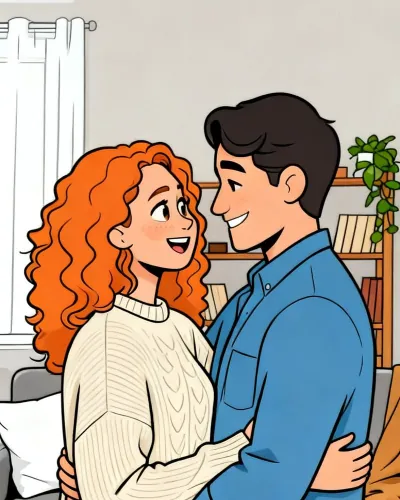
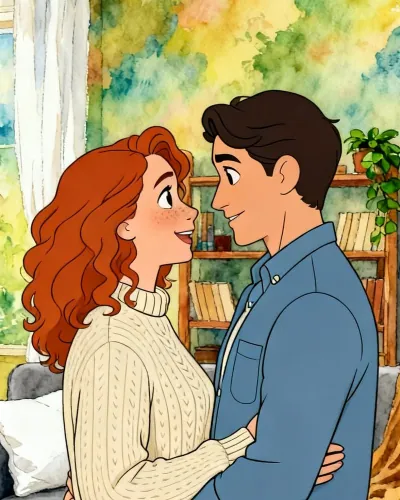
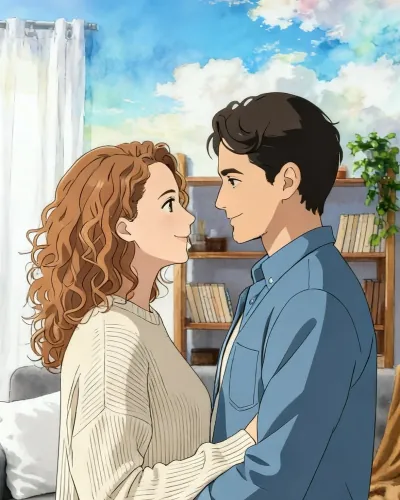
Example frames in three of the six styles. Your film is drawn from your own photos.
Made with you, scene by scene. Add your photos, pick your characters and see your first scene free before you pay, then check each scene before it comes to life.
Start our filmQuestions
What should I put in a 1 year anniversary video?
One photo from every month of your first year, in order, from the first date to a new photo taken this week. Add your names and the date at the start and one sentence for them at the end.
How long should a 1 year anniversary video be?
About a minute. Twelve photos at five seconds each is exactly one minute, long enough to tell the year and short enough to watch twice.
What's a good 1 year anniversary video for a boyfriend or girlfriend?
Your first year month by month: where it started, your first trip, the inside joke, today. The details only the two of you know are what make it personal.
Can I use our song?
In a phone slideshow or a video editor, usually yes, from the music the app offers. A film from Once Upon Us uses one of its four tracks; you can't upload your own song.
How is this different from your other anniversary video ideas?
This page is a plan for the first year only. For later anniversaries, for your husband or wife or for your parents, see the anniversary video ideas page.
More gift guides
More: 10 anniversary video ideas · the six film styles
Made for every occasion
Updated November 6, 2026